


Instagram Profile Viewer
With Insta profile viewer, you can view and download Instagram profile pictures in full size from any account.
Anonymous Instagram Profile Viewer
The Zoom Insta website offers many unique features. Its IG profile viewer service is the most popular. With our tool, you can easily view and save Instagram posts, reels, stories, and highlights. Additionally, you can zoom in on Instagram profile pictures in high quality from any account. To use the Insta Profile Viewer, just enter the username in the box above. You will then access the posts and profile picture.
Why Use Insta DP Viewer?
Our Instagram Profile Viewer is the perfect tool for those who want to explore Instagram profiles with ease and privacy. This tool allows you to view and zoom profile pictures in high quality, read bios, and even download profile pictures without needing an Instagram account. With its simple interface and secure functionality, the Instagram Profile Viewer offers a hassle-free way to access profile details in just a few clicks.
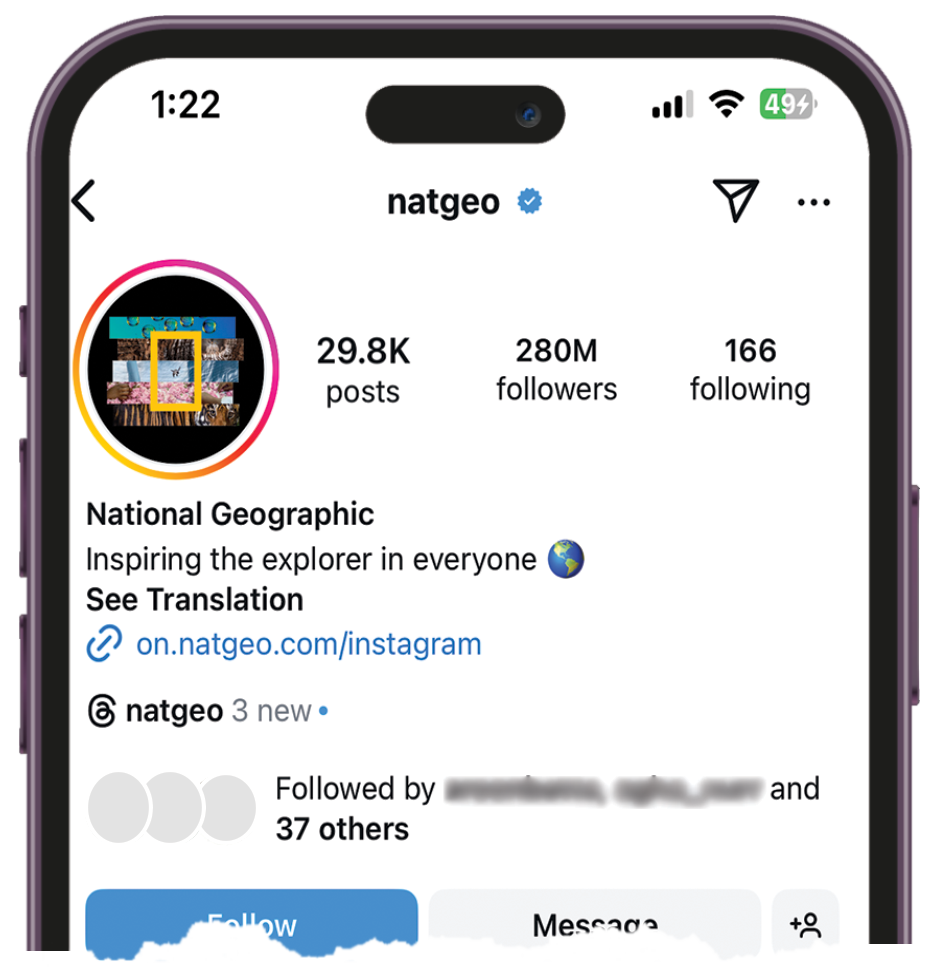
How to see Instagram profiles without an account?
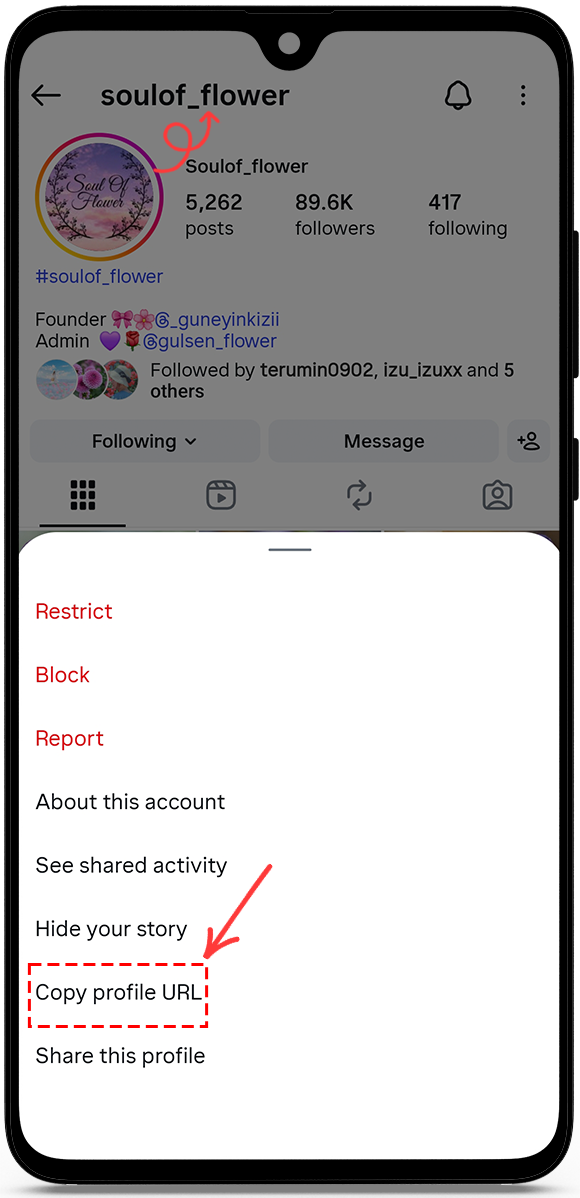
1. Copy profile link
To view and save the content of a public Instagram profile, just copy the profile link.
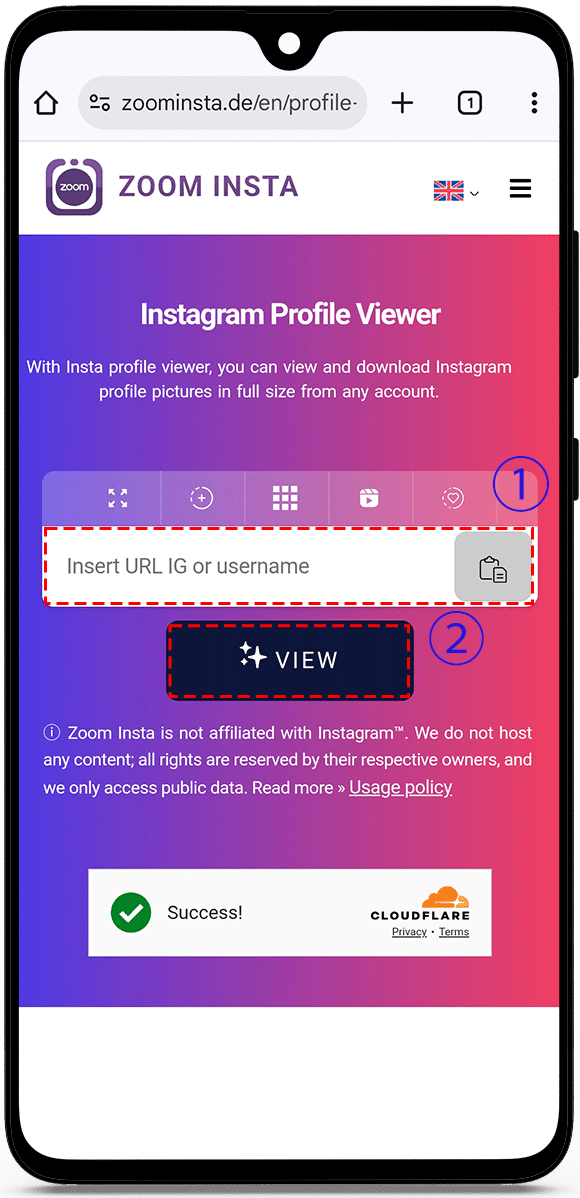
2. Paste profile link
Go to the IG profile viewer page and paste the link into the box above, and then click ‘View’.
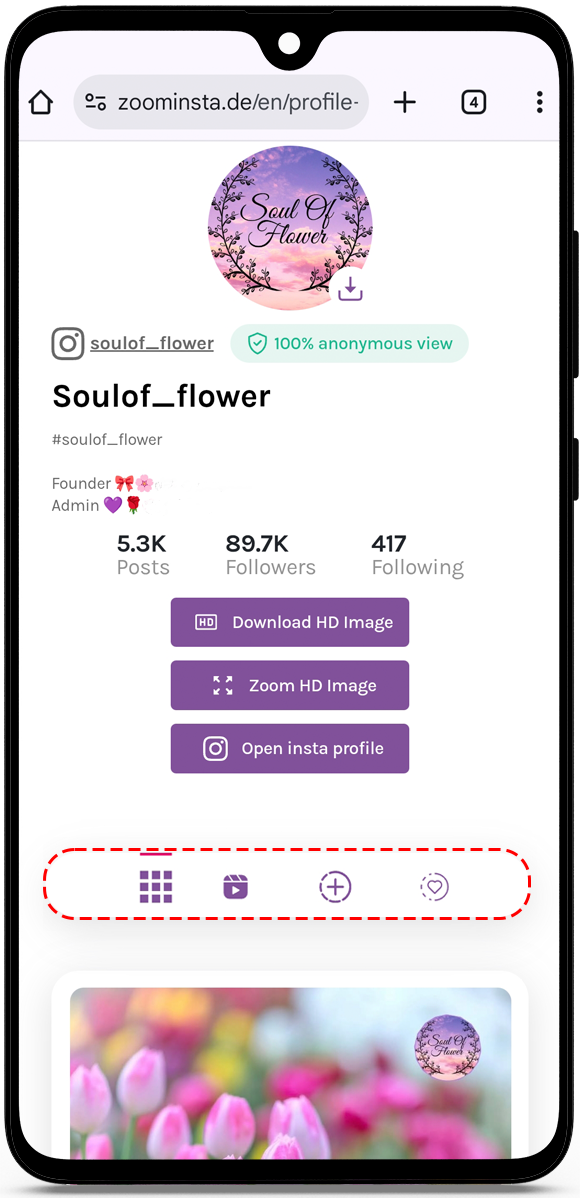
3. View profile
The profile’s public posts, reels, and stories will be available for you to browse. You can move between them, and if you want, you can download any content you like.
How to view Instagram profile anonymously?
- Open the Instagram account and copy the public profile link or username.


- Go to the IG profile viewer page and paste the link or username into the box, and then click “View”.
- The public Instagram profile will show posts, reels, stories, and highlights. Click on the tab you want to see. You can browse the results and save any content you like in high quality.
Watch Instagram profile picture anonymously
Our specialized tool provides you with the capability to view and enlarge Instagram profile pictures in full size, commonly referred to as display pictures (DP), in stunning high definition. This feature works seamlessly, allowing you to access profile pictures regardless of whether the account is set to public or private.
How to see an Instagram profile picture in full size?
- Copy profile URL/ username: Navigate to the desired profile within the Instagram app and copy the URL or username.
- Paste profile URL/ username: Go to Insta profile viewer page and Paste the URL or write the username into the box.
- View profile picture: Click the “View” button; the profile picture will appear. If you want to save it, click “Download HD Image”.
Can you zoom in on an Instagram profile pic?
Yes, you can zoom in on someone’s profile picture on Instagram online without account. Just follow these steps:
- Copy profile URL/ username: Navigate to the desired profile within the Instagram app and copy the URL or username.
- Paste in Instagram profile picture viewer: Go to IG profile viewer page and Paste the URL or write the username into the box.
- Zoom profile picture: To enlarge profile picture, click the view button. The picture will show up. If you want a bigger view, click “Zoom HD Image”.
FAQ
Is IG profile viewer anonymous?


Yes, you can use Insta Profile Viewer to browse posts and profile pictures without notifying the account owner.
Do I need to log in to Instagram to use Insta Profile Viewer?
No, you don’t need to log in or provide any personal information to use the Insta Profile Viewer.
Can I view content from private accounts?
No, IG Profile Viewer only works with public Instagram accounts. Content from private accounts is not accessible.
Can I download posts or profile pictures?
Yes, you can download photos, reels, videos, and profile pictures. Simply click the download button under the desired content to save it to your device.
Is it legal to use an Instagram profile viewer?
Yes, using our Zoom Insta is completely legal. We prioritize user security and operate within legal boundaries.

